
Похожие ставки в ставках с перевесом
В ставках с перевесом можно увидеть, как каждый из представленных коэффициентов соотносится с предложением от остальных букмекеров.
Чтобы открыть сравнение, нажмите на значение вероятности любой ставки с перевесом в таблице. Откроется отдельная страница со всеми похожими ставками для данного события и линии.
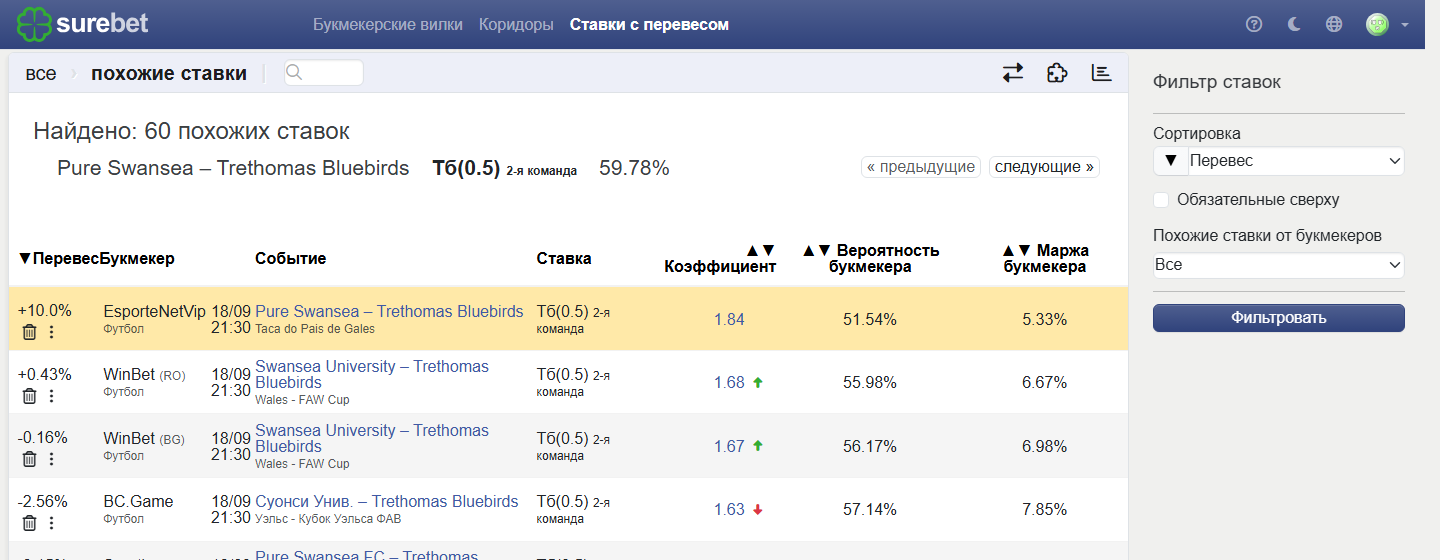
Вы можете уточнить список, чтобы показать:
- Все — настройка по умолчанию. Отображает похожие ставки от всех букмекеров в базе данных.
- Мои выбранные — букмекеры, которых вы отметили в списке букмекеров на странице ставок с перевесом (включая обязательных).
- Обязательные — только букмекеры, которые были отмечены как обязательные.
Цветовое выделение :
- Жёлтым — исходная ставка, по которой вы перешли.
- Синим — ставки от обязательных букмекеров.
Если вы хотите увидеть все похожие ставки, но при этом оставить в поле зрения и обязательные БК, поставьте флажок Обязательные сверху (на панели справа).
Это поместит обязательных букмекеров в начало списка, а все остальные БК будут располагаться ниже.
Выбор конкретных букмекеров
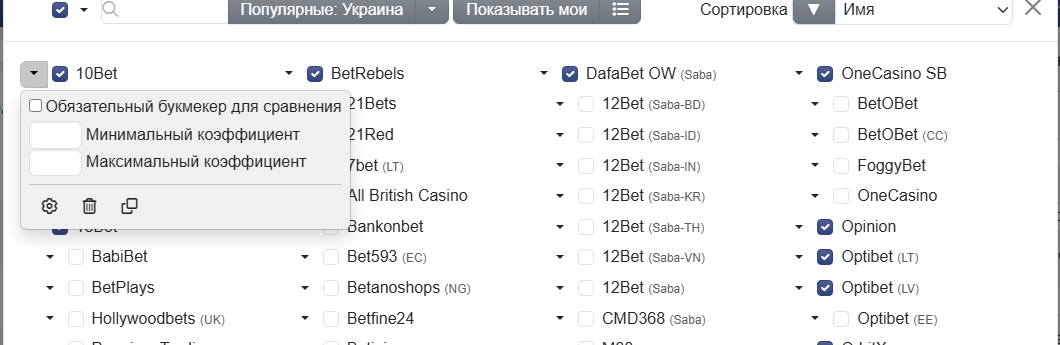
Если ваша стратегия зависит от сравнения коэффициентов с конкретными букмекерами (например, Pinnacle), вы можете отметить их как обязательные. Этапы следующие:
- Откройте список букмекеров в панели фильтров для ставок с перевесом.
- В выпадающем списке отметьте поле Обязательные для сравнения рядом с нужными букмекерами.
- Таблица ставок с перевесом затем оставит только те ставки, у которых есть хотя бы одна похожая ставка от выбранных обязательных букмекеров.
Сортировка
Таблицу похожих ставок можно сортировать по нескольким критериям:
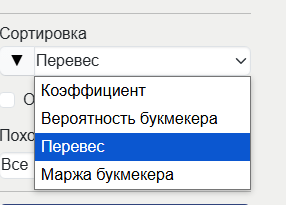
- Переоценённость (по умолчанию) — потенциальная прибыль от ставки.
- Коэффициенты — сортировка по убыванию или возрастанию для коэффициентов.
- Вероятность букмекера — подразумеваемая вероятность события.
- Маржа букмекера — более высокая маржа указывает на более низкую прибыльность для игроков.
Используйте кнопку с чёрным треугольником рядом с любой опцией, чтобы переключать порядок по возрастанию/убыванию.
Минимальное число ставок для расчёта
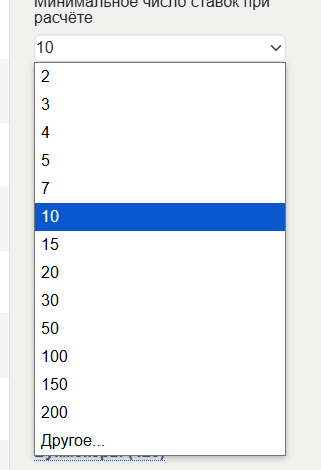
Этот параметр фильтра ставок с перевесом влияет на определение ставок с перевесом ещё до того, как вы откроете страницу похожих ставок.
В панели фильтров ставок с перевесом вы можете установить минимальное число ставок для расчёта. Оно определяет, сколько похожих ставок должно быть найдено прежде, чем система решит, что ставка переоценена.
Высокие значения → более надёжная оценка
Низкие значения → более широкий выбор, но меньшая точность
Примечание: Набор букмекеров, используемый для данного сравнения, определяется системой и не может быть отрегулирован вручную. Тем не менее, как минимум один из букмекеров, отмеченных как "Обязательный для сравнения", должен присутствовать в этом наборе.